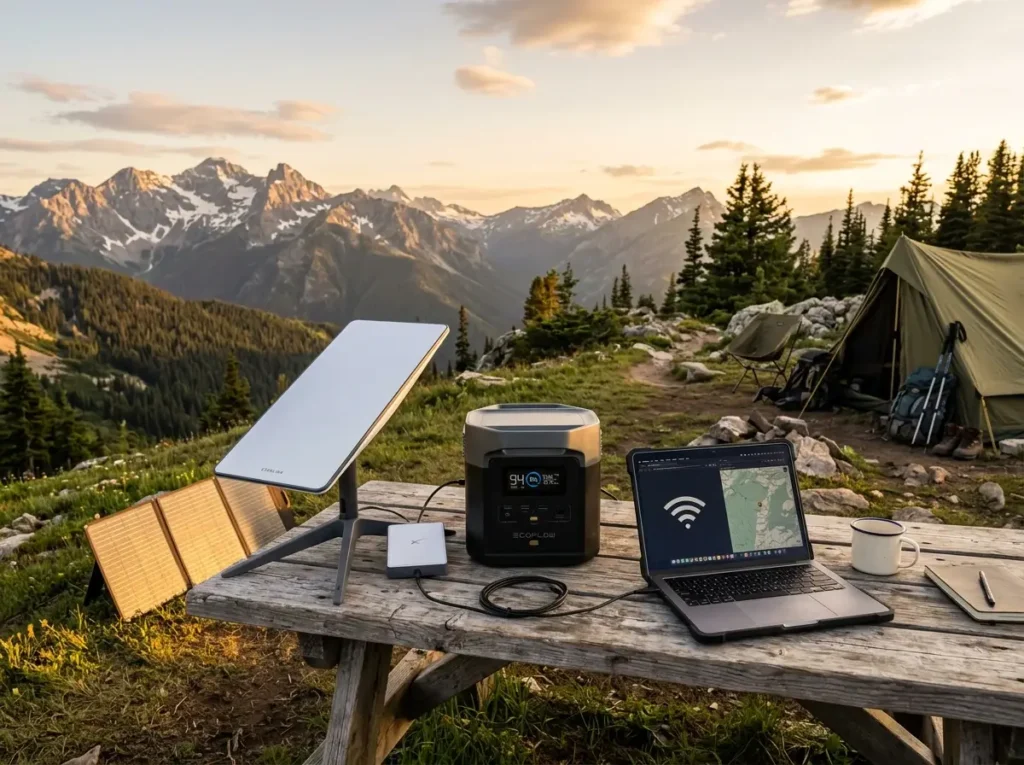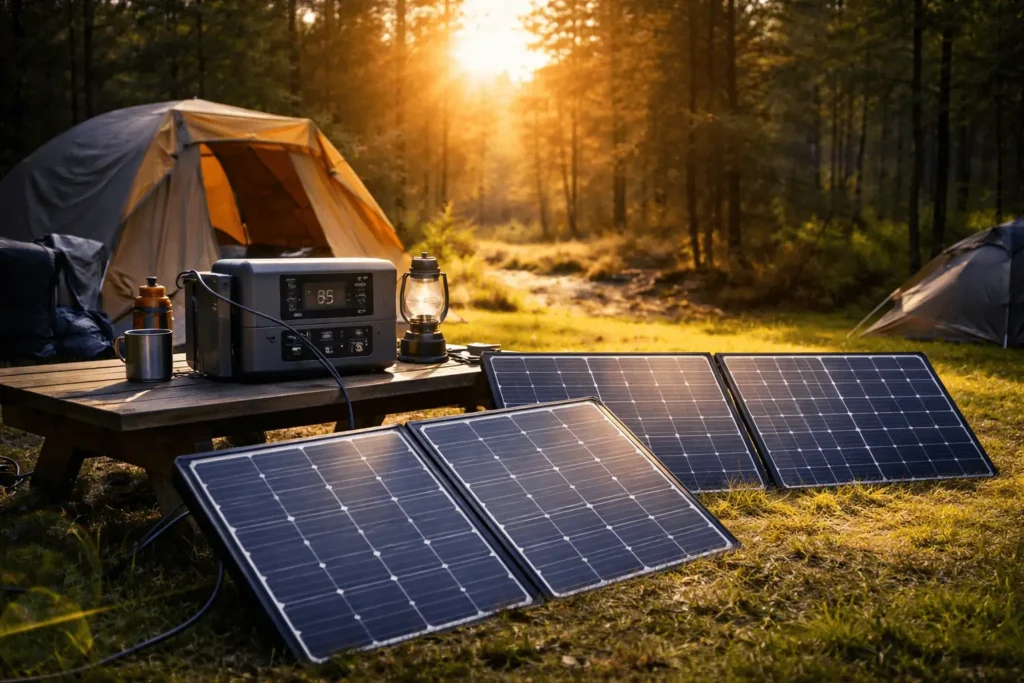
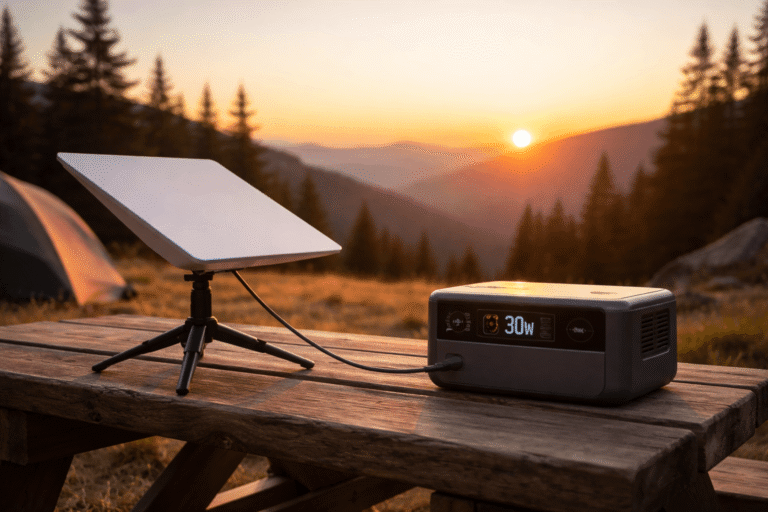
Determining how long will a solar generator run Starlink Mini depends entirely on the watt-hour capacity of your battery and the specific power mode of the satellite dish. The Starlink Mini is a power efficiency breakthrough compared to the Standard Actuated dish. It integrates the router into the panel and accepts direct DC power. This shift changes the math for off grid users. You no longer need a massive 2kWh battery to stay online for a weekend.
That does not mean every portable power station performs the same. Battery chemistry, inverter efficiency, DC output quality, charging losses, ambient temperature, and even the way you connect the Starlink Mini all influence the final runtime. Two solar generators with identical battery capacities can easily differ by several hours of real-world operation.
This guide uses realistic power consumption figures instead of ideal laboratory numbers. You’ll also learn how different battery sizes compare, when a larger solar generator actually makes sense, and how a small portable solar panel can dramatically extend your uptime during longer off-grid trips.
Table of Contents
Starlink Mini Real World Power Consumption Data
According to the official Starlink Mini Specification sheet, The Starlink Mini pulls between 25W and 40W during normal operation. Initial boot up and satellite acquisition spike the draw to about 60W for a few minutes. Once locked, it idles around 22W to 25W if you are just browsing or typing. High bandwidth activities like 4K streaming or video calls push it toward 35W.
Real-world measurements from users generally fall very close to Starlink’s published specifications. During light internet use such as email, messaging, browsing, or cloud document editing, the Starlink Mini usually remains between 22W and 28W. Video conferencing typically increases consumption to around 30W to 35W, while downloading large files or streaming high-resolution video pushes power draw toward the upper end of the operating range.
Temperature also affects consumption. Extremely cold weather may increase power usage because internal electronics become less efficient, while excessive heat can activate additional thermal management inside the dish. Although these changes are relatively small, they become noticeable during multi-day battery-powered operation.
If you use a solar generator with an AC inverter, you lose 10% to 15% of your energy to heat and conversion. Using the DC barrel jack or a USB-C PD to DC adapter is more efficient. This bypasses the inverter and stretches your battery life.
Another factor many people overlook is startup energy. Every time the Starlink Mini powers on, it must locate satellites, establish a connection, and synchronize with the network. This startup sequence briefly draws considerably more power than normal operation.
If you repeatedly turn the dish on and off throughout the day, those startup spikes slightly reduce overall efficiency. For shorter breaks, using the built-in Sleep Schedule usually consumes less energy than performing multiple complete restarts.
Estimated Runtimes by Battery Capacity
| Solar Generator Model | Battery Capacity | DC Runtime (Est.) | AC Runtime (Est.) |
| Anker SOLIX C300 DC | 288Wh | 9 to 11 Hours | N/A (DC Only) |
| EcoFlow DELTA 3 Plus | 1024Wh | 32 to 38 Hours | 26 to 28 Hours |
| Jackery Explorer 1000 v2 | 1070Wh | 34 to 40 Hours | 28 to 30 Hours |
| Anker SOLIX C1000 Gen 2 | 1024Wh | 32 to 38 Hours | 26 to 28 Hours |
| Bluetti AC180 | 1152Wh | 36 to 42 Hours | 30 to 32 Hours |
These estimates assume an average Starlink Mini power draw of approximately 30 watts while using the DC output whenever possible. Runtime naturally varies depending on weather conditions, battery temperature, battery age, and the devices connected alongside Starlink.
If you’re charging laptops, phones, drones, cameras, or running a portable refrigerator from the same power station, subtract their daily consumption before estimating your available Starlink runtime.
Why DC Connection is Critical for Starlink Mini
Connecting your Starlink Mini to the DC port of a solar generator is the smartest move for efficiency. Standard AC outlets convert DC battery power to AC, then the Starlink power brick converts it back to DC. This double conversion wastes precious watt hours.
The Starlink Mini requires a 12V to 48V input. Most portable power stations provide a 12.6V DC car socket or high power USB-C ports. Using a 100W USB-C PD to DC 5521 adapter allows the Anker SOLIX C300 DC to run the dish for nearly 10 hours. On a larger unit like the EcoFlow DELTA 3 Plus, the DC efficiency can add an extra 6 hours of uptime compared to using the AC plug.
DC operation becomes even more valuable during longer off-grid trips because every percentage point of efficiency compounds over time. Saving 10% to 15% each day may not sound dramatic, but after several days that extra energy often equals multiple additional hours of internet access.
Many newer portable power stations now include high-output USB-C Power Delivery ports capable of delivering 100W or even 140W. Combined with a quality USB-C trigger cable, they provide one of the cleanest and most efficient ways to power the Starlink Mini without relying on the AC inverter.
Performance with EcoFlow DELTA 3 Plus
The EcoFlow DELTA 3 Plus features a 1024Wh LiFePO4 battery. This unit is optimized for fast recharges, but its discharge efficiency is also top tier. If the Starlink Mini draws an average of 30W, the DELTA 3 Plus provides roughly 34 hours of continuous internet.
Another advantage is charging flexibility. Whether you’re driving between campsites, charging from shore power, or connecting multiple portable solar panels, the DELTA 3 Plus adapts easily to different situations. Fast charging allows you to take advantage of short periods of good sunlight rather than depending on perfect weather all day.
Its LiFePO4 battery chemistry is also well suited for frequent cycling. Users who travel regularly or work remotely every week can expect thousands of charge cycles before noticing meaningful capacity loss.
One advantage of this specific solar generator is the app control. You can set a discharge limit to ensure the battery never hits 0%, protecting the LFP cells. If you add a 220W portable solar panel, you can theoretically run the Starlink Mini indefinitely. The 1000W solar input on the DELTA 3 Plus is overkill for a Mini, but it ensures the battery tops up even on cloudy days.
Running Starlink Mini on Jackery Explorer 1000 v2
The Jackery Explorer 1000 v2 has a slightly larger 1070Wh capacity. It is exceptionally light for its size, making it a better choice for those who move their setup frequently. Expect about 35 to 38 hours of runtime when using the DC cigarette lighter port with a 12V adapter.
Jackery uses a very stable 12V output. This prevents the Starlink Mini from rebooting when the battery level drops. Some cheaper generators have unregulated DC ports that drop voltage as the battery drains, but the Explorer 1000 v2 keeps it steady at 12.6V.
Its relatively low weight also makes transportation easier compared with many competing 1kWh power stations. That becomes noticeable if you’re frequently moving between campsites, loading equipment into a vehicle every day, or carrying everything from a parking area to a remote campsite.
For campers who prioritize simplicity, the Explorer 1000 v2 requires very little setup. Connect the DC cable, verify stable output, and the Starlink Mini begins operating within minutes.
Anker SOLIX C1000 Gen 2 and Remote Work
For digital nomads, the Anker SOLIX C1000 Gen 2 offers a balance of durability and speed. With 1024Wh, it mirrors the EcoFlow runtime. You get about 33 hours of zoom calls and file uploads.
The Gen 2 features InfiniPower technology. This means the internal componentss are designed for daily discharge cycles. If you work 8 hours a day, this solar generator will power your Starlink Mini for an entire 4 day work week on a single charge.
Remote workers often underestimate how much additional equipment shares the same battery. A laptop, monitor, smartphone, LED lighting, camera batteries, and Starlink together quickly increase daily consumption.
Fortunately, the C1000 Gen 2 has enough capacity to comfortably support an entire mobile office while still leaving reserve power for overnight connectivity.
The Ultra Light Option: Anker SOLIX C300 DC
If you are hiking or have a very small van, the SOLIX C300 DC is the most logical companion for a Starlink Mini. It has 288Wh of capacity. While it won’t last for days, it provides a solid 9 to 10 hours of connectivity.
This unit is specifically designed for DC electronics. It lacks the heavy AC inverter, which reduces weight and increases efficiency. It fits in a backpack and can be recharged via a 100W solar panel in less than 3 hours of good sun.
Calculating Your Specific Runtime
To find out exactly how long will a solar generator run Starlink Mini for your specific gear, use this formula:
(Total Watt Hours x 0.85 Efficiency Factor) / Average Watts of Starlink = Hours of Runtime.
The formula provides an excellent starting point, but real-world conditions rarely remain constant for an entire day. Solar generators lose a small amount of energy through their battery management systems, cooling fans, display electronics, and voltage conversion circuits. Even premium models cannot deliver 100% of their advertised battery capacity to connected devices.
Your own usage habits also play a major role. Someone checking emails for a few minutes every hour will see noticeably longer runtimes than someone uploading 4K drone footage, attending continuous video meetings, or streaming live content all afternoon. For planning purposes, using a 30W average consumption remains the safest assumption.
For example, with a 500Wh battery and a Starlink pulling 30W:
(500 x 0.85) / 30 = 14.1 Hours.
If your Starlink Mini averages closer to 25W, the same 500Wh battery produces approximately 17 hours of runtime. On the other hand, heavy usage averaging 40W reduces runtime to around 10 hours after accounting for normal system losses.
Whenever possible, leave yourself a safety margin instead of completely draining the battery. Lithium batteries last significantly longer when they operate between roughly 20% and 90% state of charge rather than cycling from full to empty every day.
Always assume a 15% loss for internal system operations and cooling fans. If you use the AC inverter, change the efficiency factor to 0.75.
Choosing the best portable solar generator for camping is the first step in building a reliable remote work setup.
Strategies for Multi-Day Connectivity
When planning how long will a solar generator run Starlink Mini for an extended trip, you must account for “vampire” drain. Even when the dish is not actively transferring data, it maintains a link to the constellation. This idle state pulls roughly 15W. Over 24 hours, even if you never touch your laptop, the Starlink Mini will consume approximately 360Wh to 400Wh just by staying “On.”
Weather planning becomes just as important as battery capacity. Three consecutive cloudy days can reduce solar production by more than half, making battery storage the limiting factor rather than panel size. If your trip includes unpredictable weather, increasing battery capacity usually provides more reliable results than simply adding another solar panel.
Energy management also matters. Instead of leaving every device powered continuously, charge phones, drones, cameras, and laptops during peak sunlight hours while your solar panels are producing their highest output. This reduces unnecessary battery cycling and reserves more stored energy for overnight Starlink operation.
To reach a full week of operation, you need a charging strategy that exceeds this daily drain. A 100W solar panel produces about 400Wh to 500Wh of energy on a clear day. This makes a 100W panel the bare minimum for Starlink Mini users. If you want to charge your laptop and run lights alongside the internet, 200W of solar is the recommended baseline. Pairing your station with high-quality portable solar panels for camping ensures you never run out of juice for your Starlink.
Portable solar panel placement deserves attention as well. A panel lying flat on the ground rarely delivers its rated output throughout the day. Tilting the panel toward the sun and adjusting it every few hours often produces significantly more energy without buying additional equipment.
If you’re camping beneath trees, consider placing the solar panel several meters away in direct sunlight while keeping the power station and Starlink setup inside the shade. Longer extension cables are inexpensive compared with permanently losing charging performance because of partial shading.
Extreme Longevity: Bluetti Elite 200 V2
The Bluetti Elite 200 V2 is the ultimate solution for those who don’t want to worry about how long will a solar generator run Starlink Mini during a week-long rainstorm. With 2073Wh of capacity, it can keep the Mini online for over 60 hours of continuous high-speed use.
Large-capacity power stations also provide another advantage beyond runtime. They operate at a much lower percentage of their maximum output when powering low-consumption devices like the Starlink Mini. Lower discharge rates generally improve overall efficiency and generate less internal heat, especially during summer camping trips.
Although a 2kWh class power station costs considerably more than a 1kWh model, travelers spending weeks off-grid often appreciate the reduced charging frequency. Fewer recharge cycles also contribute to longer battery lifespan over several years of regular use.
If you switch the dish to a sleep schedule during the night, this runtime stretches to nearly 5 days without a single watt of solar input. The Elite 200 V2 also features a very low idle consumption of only 10W, which is significantly better than older 2kWh units that would “bleed” 30W to 50W just by having the display active.
For RV owners or van life travelers carrying larger solar arrays, the Elite 200 V2 can comfortably support Starlink alongside refrigerators, lighting, laptops, camera equipment, and other everyday electronics without constantly monitoring battery percentages.
Pro Tips To Maximize How Long Will a Solar Generator Run Starlink Mini
- Disable Snow Melt Mode: This feature can spike power draw to 75W. Unless you are in an actual blizzard, keep this off in the Starlink app settings.
- Use a USB-C Trigger Cable: Many solar generators, like the Anker SOLIX C300 DC, have 140W USB-C ports. Using a USB-C to DC 5521 cable is more eficient than the standard car socket adapter.
- Set Sleep Schedules: Use the Starlink app to schedule “Sleep” from 12 AM to 6 AM. This saves 90Wh to 100Wh per night, which is like getting 3 hours of free daytime usage.
- Orientation Matters: A poorly aligned dish works harder to maintain a signal, increasing CPU load and power draw. Always use the alignment tool in the app.
Additional habits can noticeably improve efficiency during longer trips:
- Keep firmware updated. Starlink periodically improves software optimization and power management.
- Avoid unnecessary accessories connected to the power station. Small USB devices, decorative lighting, and always-on chargers slowly consume energy throughout the day.
- Recharge whenever sunlight is available instead of waiting for the battery to become nearly empty. Shallow charging cycles place less stress on LiFePO4 batteries.
- Protect both the solar generator and Starlink Mini from excessive heat. High temperatures reduce battery efficiency and may trigger cooling fans that consume additional power.
- Carry one spare DC cable or USB-C trigger cable. Damaged cables are far more common than damaged power stations and can easily interrupt an otherwise reliable off-grid setup.
Choosing the Right Solar Generator for Starlink Mini
Not every portable power station targets the same type of user. Choosing the right model depends less on advertised battery capacity and more on how you actually travel.
For day trips and lightweight camping, compact DC-focused units like the Anker SOLIX C300 DC provide excellent efficiency while keeping backpack weight manageable.
Weekend campers generally benefit most from 1kWh power stations such as the EcoFlow DELTA 3 Plus, Jackery Explorer 1000 v2, or Anker SOLIX C1000 Gen 2. These models balance portability, battery capacity, and fast solar charging while comfortably powering Starlink Mini for multiple days.
If your setup includes additional appliances like portable refrigerators, induction cooktops, coffee makers, laptops, lighting, and camera equipment, moving to a larger battery such as the Bluetti Elite 200 V2 reduces charging anxiety and offers enough reserve capacity for extended periods away from civilization.
Choosing slightly more battery capacity than your calculations suggest often proves worthwhile. Weather changes, unexpected device charging, and future equipment upgrades all increase daily power consumption over time.
If you’re still deciding which power station fits your camping style, compare our detailed guide on the best portable solar generator for camping to see how today’s leading models perform in real-world outdoor conditions. If you already own a generator, our guide to the best portable solar panels for camping and off-grid use explains how to pair it with the right panel size for faster daily recharging.
FAQ: Powering Starlink Mini
Can I run Starlink Mini on a small 100Wh power bank?
Yes, but only for about 2.5 to 3 hours. A 100Wh bank is fine for an emergency email but insufficient for a full workday.
Does Starlink Mini use more power in bad weather?
Yes. In heavy rain or thick cloud cover, the dish increases its radio frequency output to penetrate the atmosphere, which can raise consumption by 5W to 10W.
Is it safe to run Starlink Mini while the solar generator is charging?
Yes, all the units mentioned (EcoFlow, Jackery, Anker, Bluetti) support “Pass-Through” charging. The solar energy will power the dish first, and any excess will charge the battery.
What is the most efficient way to plug in Starlink Mini?
The most efficient method is using a DC power cable directly into the 12V or 24V port of your generator. Avoid the AC wall plug whenever possible to save 15% of your battery.
Can a 100W solar panel keep up with Starlink Mini?
In direct sunlight, a 100W panel produces 60W to 80W. This is enough to run the 30W dish and put 30W back into the battery at the same time.
Can I leave Starlink Mini running all night?
Yes. However, if you don’t need internet overnight, enabling Sleep Schedule saves a significant amount of battery capacity for the following day.
Does battery temperature affect runtime?
Yes. Lithium batteries temporarily lose available capacity in freezing temperatures, reducing overall runtime until they warm back up.
Is a LiFePO4 battery better for Starlink Mini?
Yes. LiFePO4 batteries offer longer cycle life, better thermal stability, and maintain voltage more consistently during extended discharge.
Should I buy a larger battery or a larger solar panel?
If your trips last several days with reliable sunshine, adding more solar usually provides the greatest benefit. If you regularly experience cloudy weather or camp in forests, increasing battery capacity often delivers more consistent results.